How We Built an AI Chatbot That Answers Excel Data in Natural Language
How We Built an AI Chatbot That Answers Excel Data in Natural Language
A Case Study with Cooke Chile
Most companies store their most valuable operational knowledge in Excel. Production logs, compliance data, KPIs, historical records. The issue is not the lack of data, but how difficult it becomes to extract insights once spreadsheets grow complex, interconnected, and inconsistently structured.
Cooke Chile faced this exact challenge.
Their teams relied heavily on Excel files for daily operations and reporting. However, answering simple questions like “What production anomalies happened last week?” or “How did Zone 10 perform compared to last month?” required manually opening files, understanding table logic, filtering data, and often relying on a specific person who knew how the spreadsheet was built.
The objective was clear: enable teams to ask questions in natural language and get accurate answers directly from Excel data.
The Hidden Challenge: Excel Structure vs AI Understanding
One of the biggest obstacles was not the AI itself, but the way Excel files are typically designed for humans.
Many of the spreadsheets contained:
- Dynamic headers
- Multiple tables per sheet
- Nested summaries
- PowerBI-style layouts
- Implicit logic spread across rows and columns
While these formats work for visual analysis, AI models struggle to interpret dynamic tables and PowerBI-style structures reliably. The models could not consistently understand where headers started, how rows related to each other, or how calculations were implied.
To solve this, we had to rethink the spreadsheets themselves.
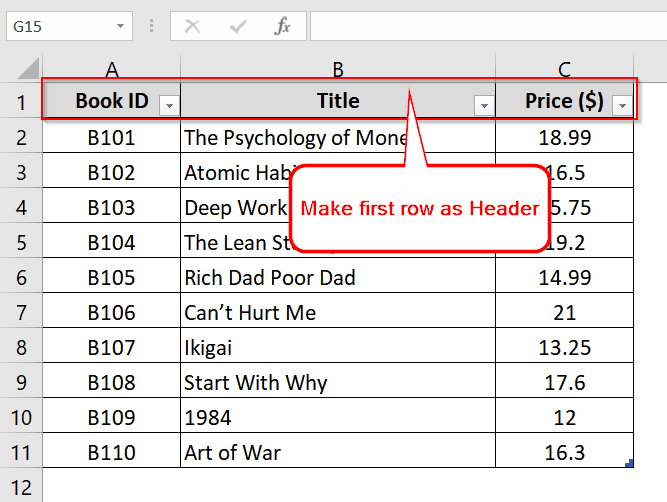
We reformatted complex Excel files into a simplified, AI-readable structure:
- A single, explicit header row
- All data strictly below that header
- One record per row
- Clear column naming
- No dynamic or merged table logic
This transformation was critical. Without it, even the most advanced AI models produced unreliable or incomplete answers.
Why ChatGPT Alone Wasn’t Enough
At first glance, it may seem sufficient to upload Excel files into a generic AI tool and start asking questions. In practice, this approach fails quickly.
Direct Excel-to-AI workflows led to:
- Hallucinated results
- Missed edge cases
- Poor handling of time-based comparisons
- No persistence when files changed
- Inconsistent answers to complex questions
The core issue was that large language models are not designed to “read spreadsheets.” They need structured data and explicit logic.
How the System Works
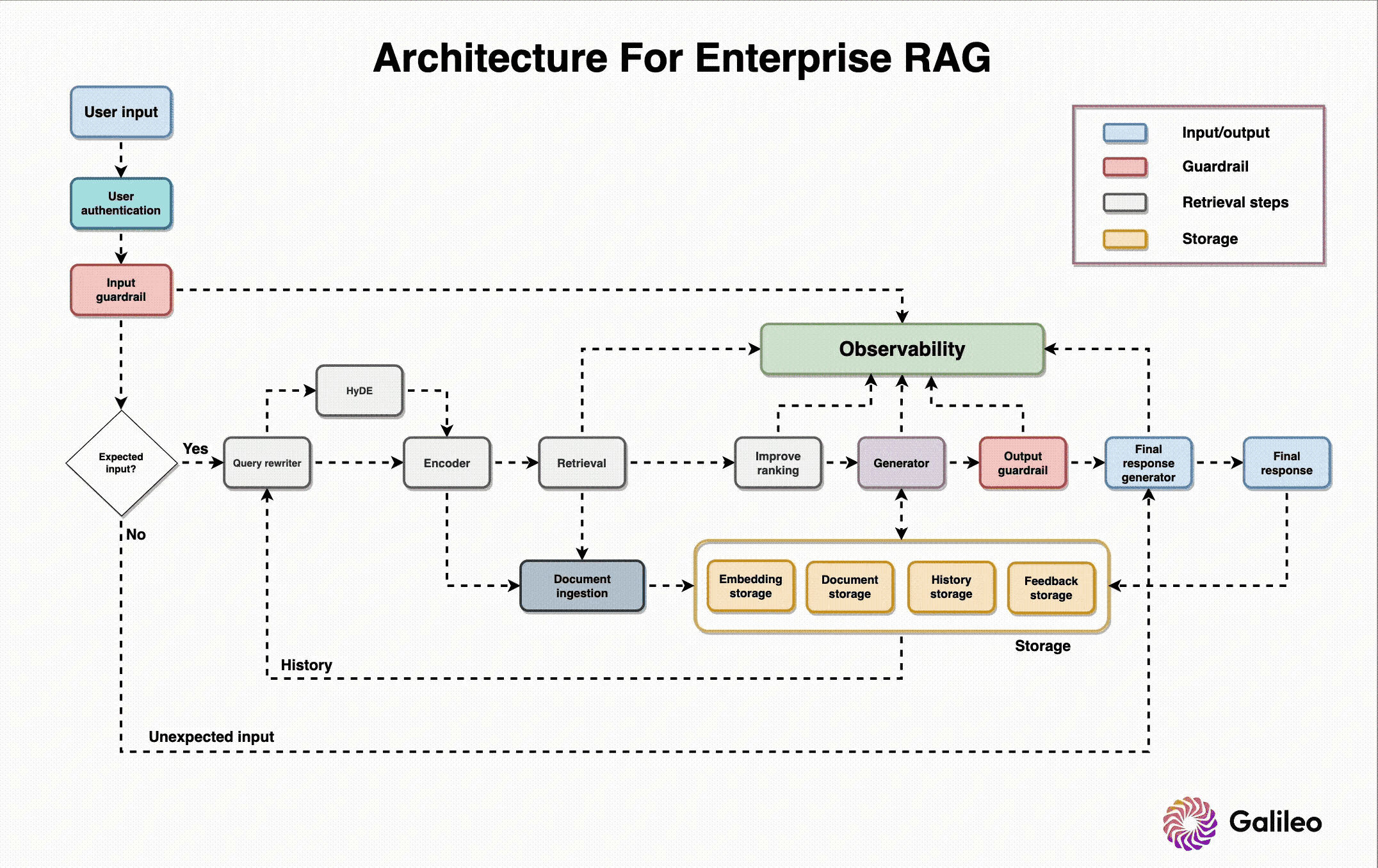
Instead of forcing AI to interpret Excel visually, we designed a system that treats Excel as a data source, not a document.
1. Data Normalization Layer
Each Excel file is ingested and converted into structured, tabular JSON. During this process:
- Headers are explicitly defined
- Rows become individual records
- Dates, numbers, and categories are normalized
- Contextual metadata is added (source, period, zone, business unit)
This preserves the meaning of the data while removing ambiguity.
2. AI-Searchable Index
The structured data is indexed so it can be:
- Filtered by time range, category, or location
- Compared across periods
- Queried precisely instead of inferred
At this point, the AI is no longer guessing — it is retrieving exact data.
3. Natural Language Interface
Users interact through a conversational interface. Questions in natural language are translated into structured queries, relevant data is retrieved, and the AI explains the results clearly and concisely.
The Orchestrator Agent: Deciding What Data to Retrieve
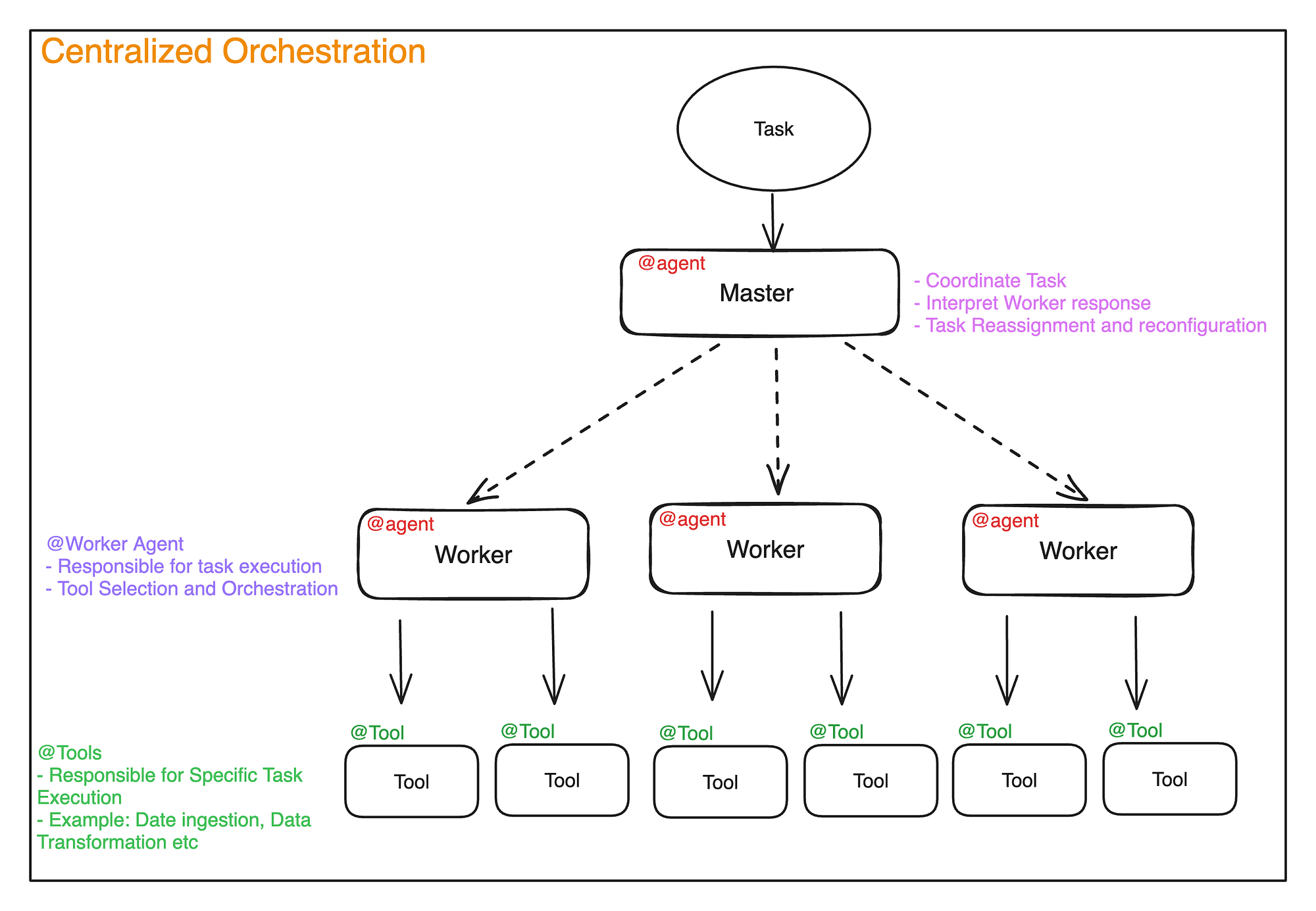
A key component of the system is the orchestrator agent.
Instead of sending every question directly to a single model, the orchestrator:
- Analyzes the user’s question
- Classifies the intent (summary, comparison, anomaly detection, historical lookup)
- Determines which dataset or Excel source is relevant
- Routes the request to the appropriate internal agent or data retrieval function
For example:
- A high-level summary triggers a different retrieval path than a detailed production comparison
- Operational questions are routed differently than compliance-related queries
- Daily production data is handled separately from historical archives
This architecture ensures accuracy, speed, and scalability as more datasets and use cases are added.
Why We Chose Anthropic Models
During development, we tested multiple large language models.
We observed a clear pattern: as questions became more complex, involving comparisons, constraints, or nuanced reasoning over structured data, Anthropic models performed more reliably.
Specifically, they showed:
- Better adherence to structured inputs
- Fewer hallucinations when reasoning over tabular data
- Stronger performance on multi-step analytical questions
- More consistent answers when combining retrieval and explanation
For simpler prompts, multiple models performed similarly. But for real operational questions — the ones that matter in production — Anthropic models consistently produced higher-quality results.
As a result, they became the primary reasoning layer in the system.
Multi-Chatbot Architecture
Cooke Chile required flexibility across teams and data domains.
Instead of deploying a single generic chatbot, we implemented multiple custom chatbots, each connected to specific datasets and business contexts. This allowed:
- Role-specific insights
- Cleaner and more relevant answers
- Better access control
- Faster team adoption
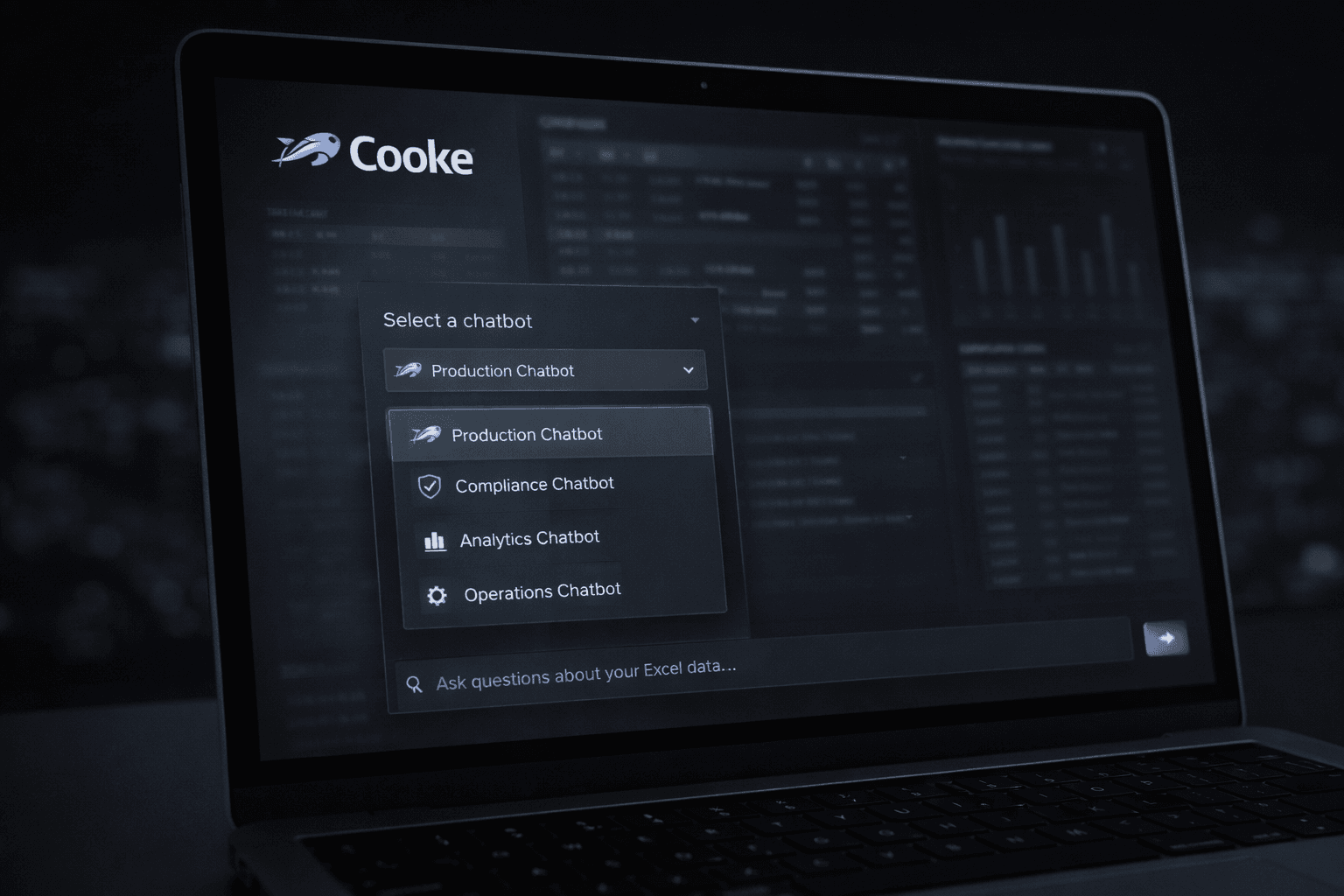
From the user’s perspective, the experience is simple: select a chatbot, ask a question, get an answer. Behind the scenes, each chatbot is backed by a carefully scoped data and orchestration layer.
Impact
The final system changed how teams interact with their data.
They can now:
- Get answers in seconds instead of minutes or hours
- Ask questions without opening spreadsheets
- Reduce reliance on Excel power users
- Make faster, more confident decisions
Most importantly, the system scales. As Excel files are updated or new ones added, the knowledge base refreshes automatically.
The Real Insight
This project reinforced a core principle we see repeatedly:
AI does not fail because of the model.
AI fails because the data is not prepared to be understood.
The real value lies in the data transformation and orchestration layers. The chatbot is simply the interface.
At EarlyShift AI, that is where we focus.